
A well-designed room may contain many separate lighting circuits: ceiling downlights, pendants, wall lights, lamps, joinery lighting and feature lighting. With conventional controls, each circuit needs its own switch or dimmer. The result can be a large bank of controls that takes time to adjust whenever you want to change the mood of the room.
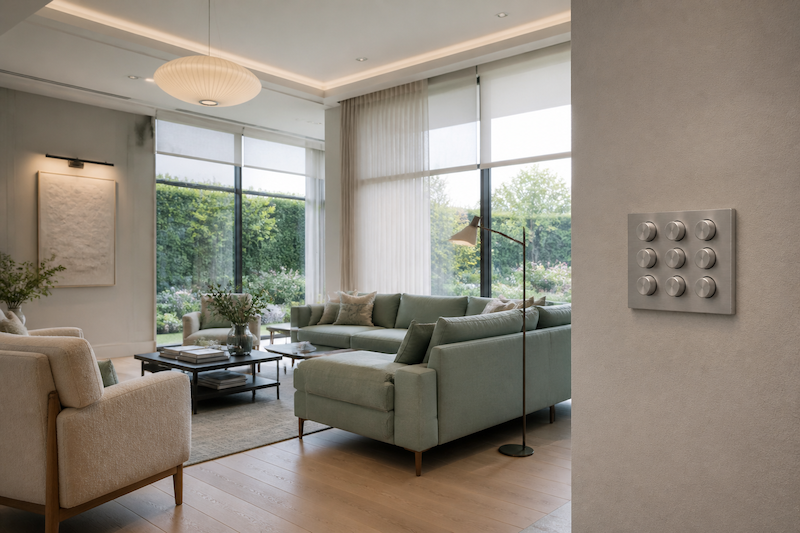
From Individual Circuits to Simple Scenes
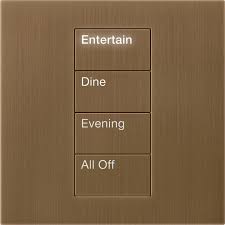
Lighting control changes the way you use those circuits. Instead of adjusting every dimmer individually, the circuits are arranged into scenes. Each scene stores the required state and brightness of every light, allowing the room to be transformed with one button press.
A living room might include scenes such as:
- All On – useful for cleaning or whenever maximum light is needed
- Evening – warm, comfortable lighting for everyday use
- Entertaining – balanced lighting throughout the room for guests
- TV – reduced lighting around the screen with gentle background illumination
- Off – switches all the room’s lighting off with one press
The individual circuits still exist and can be adjusted when required, but most of the time the scene buttons provide everything the client needs. The labels are clear, the result is repeatable and there is no need to remember where every dimmer should be set.
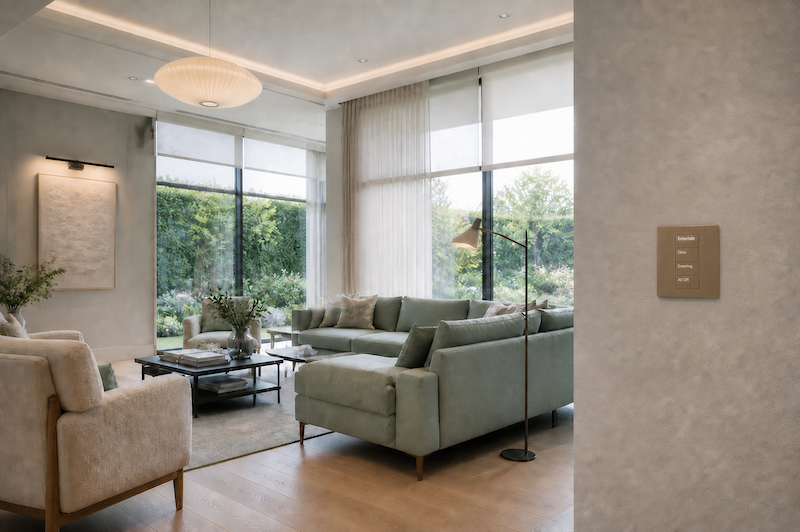
Why Lutron?
Lutron is widely recognised as the market leader in lighting control. Its systems range from individual-room solutions to fully integrated whole-house lighting, with a strong reputation for reliability and smooth, consistent dimming.
A professionally designed Lutron system can control far more than ceiling lights. It can also operate lamps, architectural lighting, curtains and motorised blinds. This allows electric lighting and natural daylight to work together as part of the same scene.
For example, an Evening scene might lower the blinds, bring on table lamps and dim the architectural lighting to comfortable levels. A TV scene could close the curtains, reduce the lights near the screen and retain enough background light to move around safely.
Integration with Control4
Lutron can operate as a dedicated lighting and shading system using its own keypads and app. It can also be integrated with Control4, allowing lighting, blinds, entertainment and other systems to work together.
When combined with Control4, a keypad button does not have to control lighting alone. Pressing TV could select the appropriate Lutron lighting scene and turn on the television and audio system. A Movie button could dim the lights, close the blinds, start the cinema equipment and prepare the room for viewing.
The integration can also make leaving a room easier. A normal press of the Off button might switch off only the lights. Pressing and holding the same button could turn off the room’s lights, stop the music and switch off the television—all without adding more buttons to the wall.
Control from Keypads and Apps
The most important controls remain available on wall keypads, so the system continues to feel natural for family members and guests. Depending on the chosen system and integration, lighting, curtains and blinds can also be controlled through the Lutron app or as part of the wider Control4 interface.
The objective is not to make lighting more complicated. It is to hide the complexity of many individual circuits behind a small number of clearly labelled scenes that make sense in everyday life.
Designed Properly from the Start
The quality of a lighting-control system depends on its design. OPS plans the circuits, keypad positions, scene behaviour and integration around the architecture of the property and the way each room will be used.
When Lutron is specified and programmed correctly, sophisticated lighting becomes simple: the right atmosphere, in the right room, from one button press.